This is the first report available under Business Analytics menu. It can also be accessed from your Broker dashboard by clicking on the AUM tab. By default it shows you all the AUM under your ARNs or RIA code.
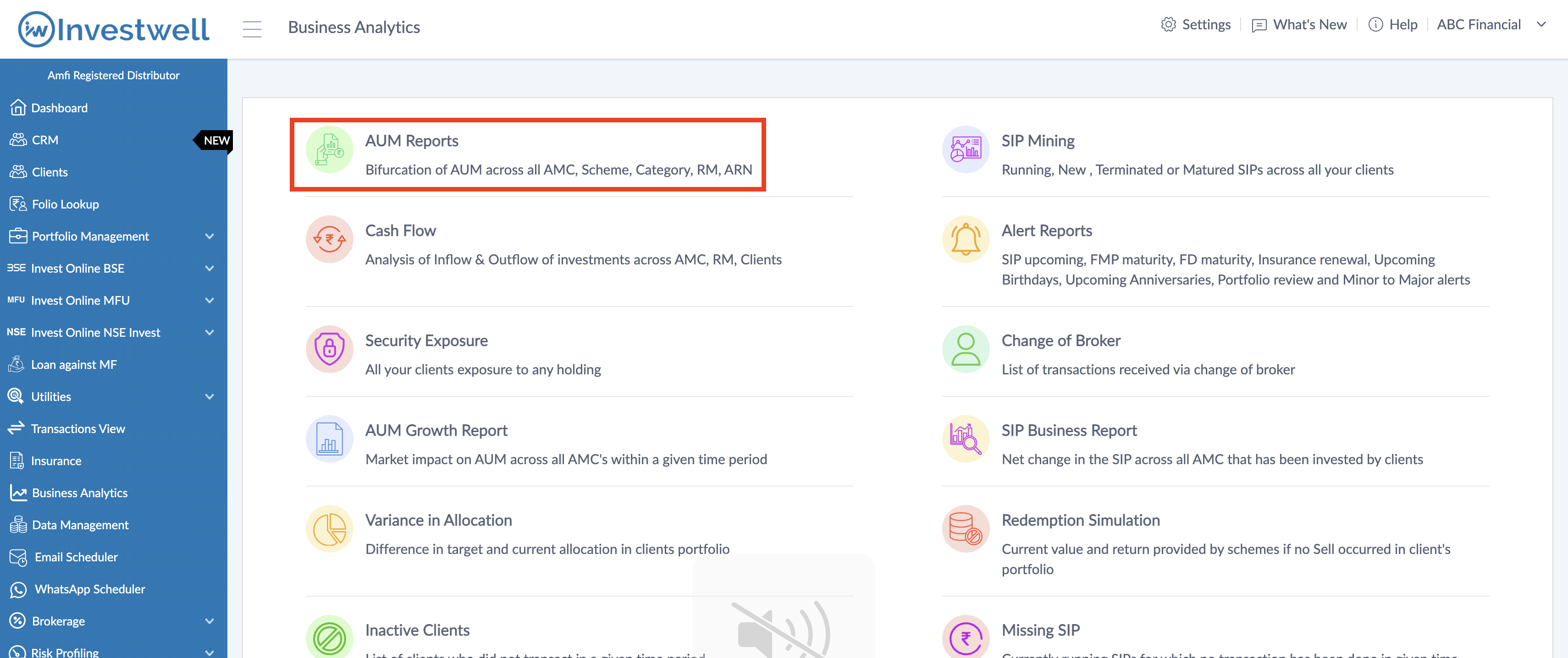
This report is used to understand how your company's AUM is bifurcated across different asset classes on the basis of the following groupings -
- Fund
- Scheme
- Category
- RTA
- Relationship Manager
- Sub broker
- Family Head
- Investor
- Folio
If you have created multiple hierarchies above RM and Admin (like Branch, Region and Zone) they will also be available to select in the group by options
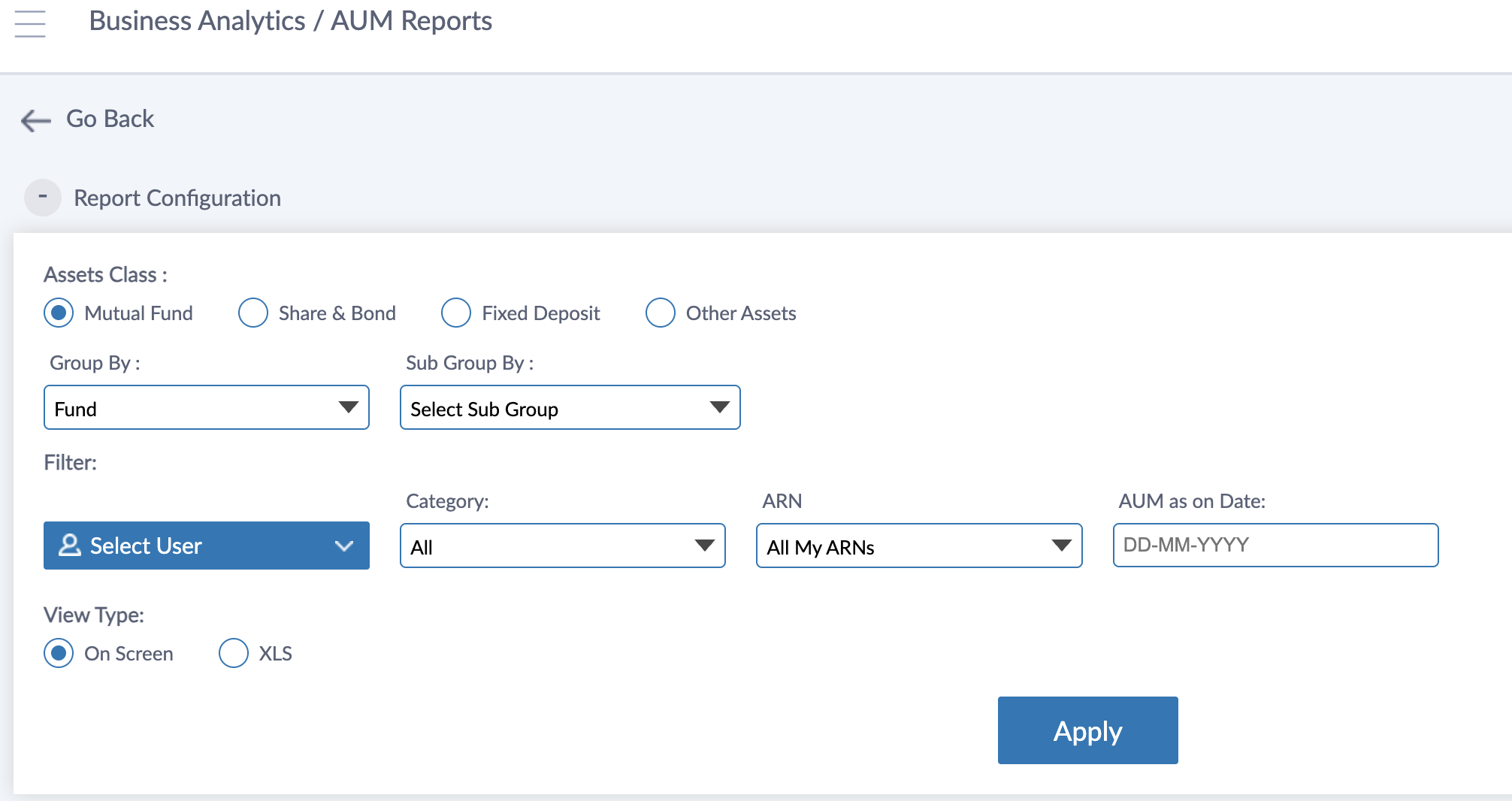
You can view AUM across all products -
- Mutual funds
- Share & Bond
- Fixed Deposit
- Other Assets
Select User filter can be used to choose a particular individual of any level (RM, Sub broker, branch etc) and see the AUM under that individual
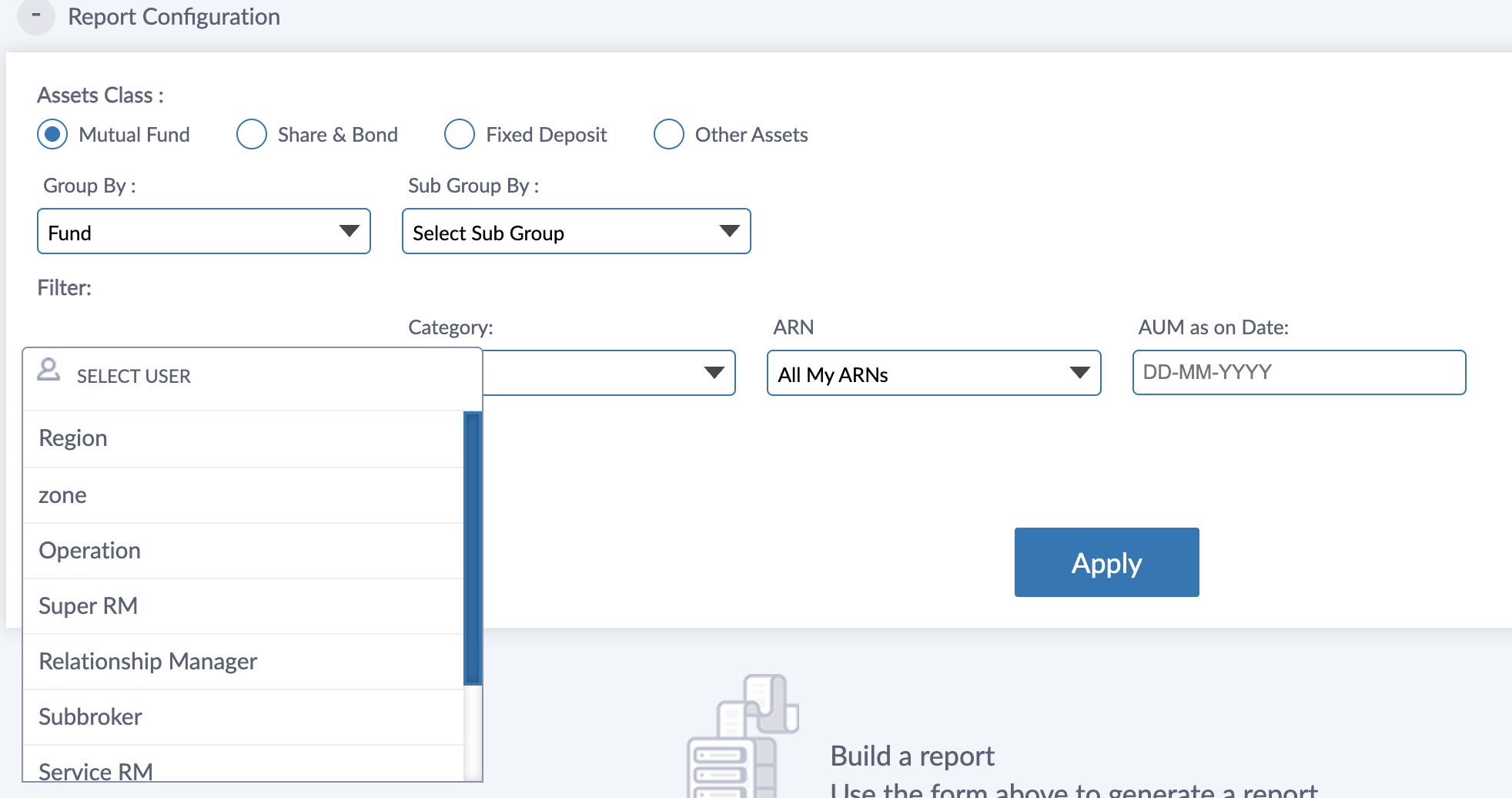
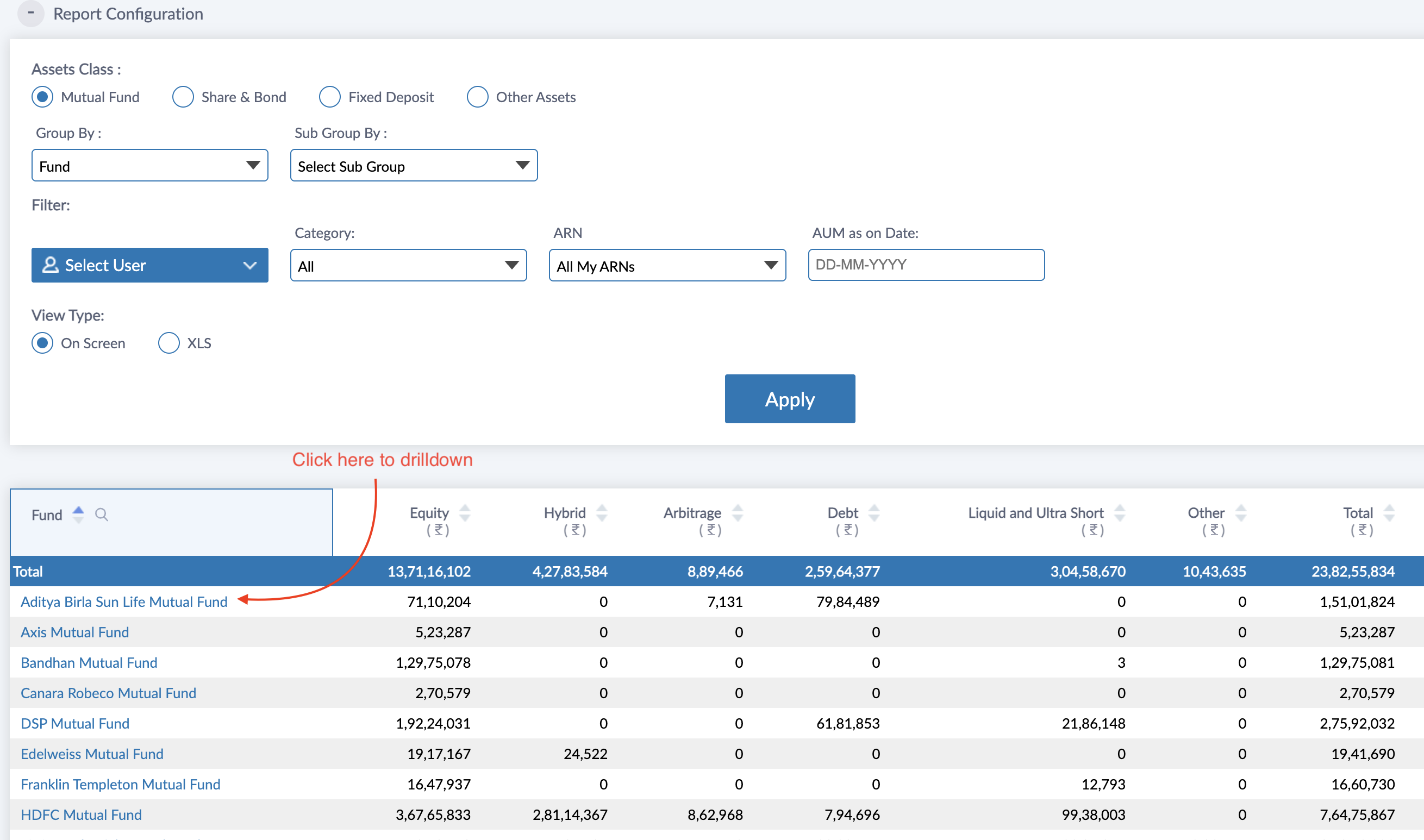
The AUM as on Date filter can be used to take the AUM report on any back date. The ARN filter can be used to either select All My ARNs (which will include all the managed AUM under your ARNs) or a single ARN.
ARN-00000 is meant for data which has been manually entered or bulk uploaded through excel file (from Data Management >> Create Transaction menu) and CAS ARN is meant to show data imported through Consolidated Account Statement (from Data Management >> CAS Import menu)
You can also use the Sub grouping option to view the AUM across 2 groups together. For example, if I chose Group by as Fund and Sub group by as Category, it will show as Fund wise and Category wise AUM bifurcation
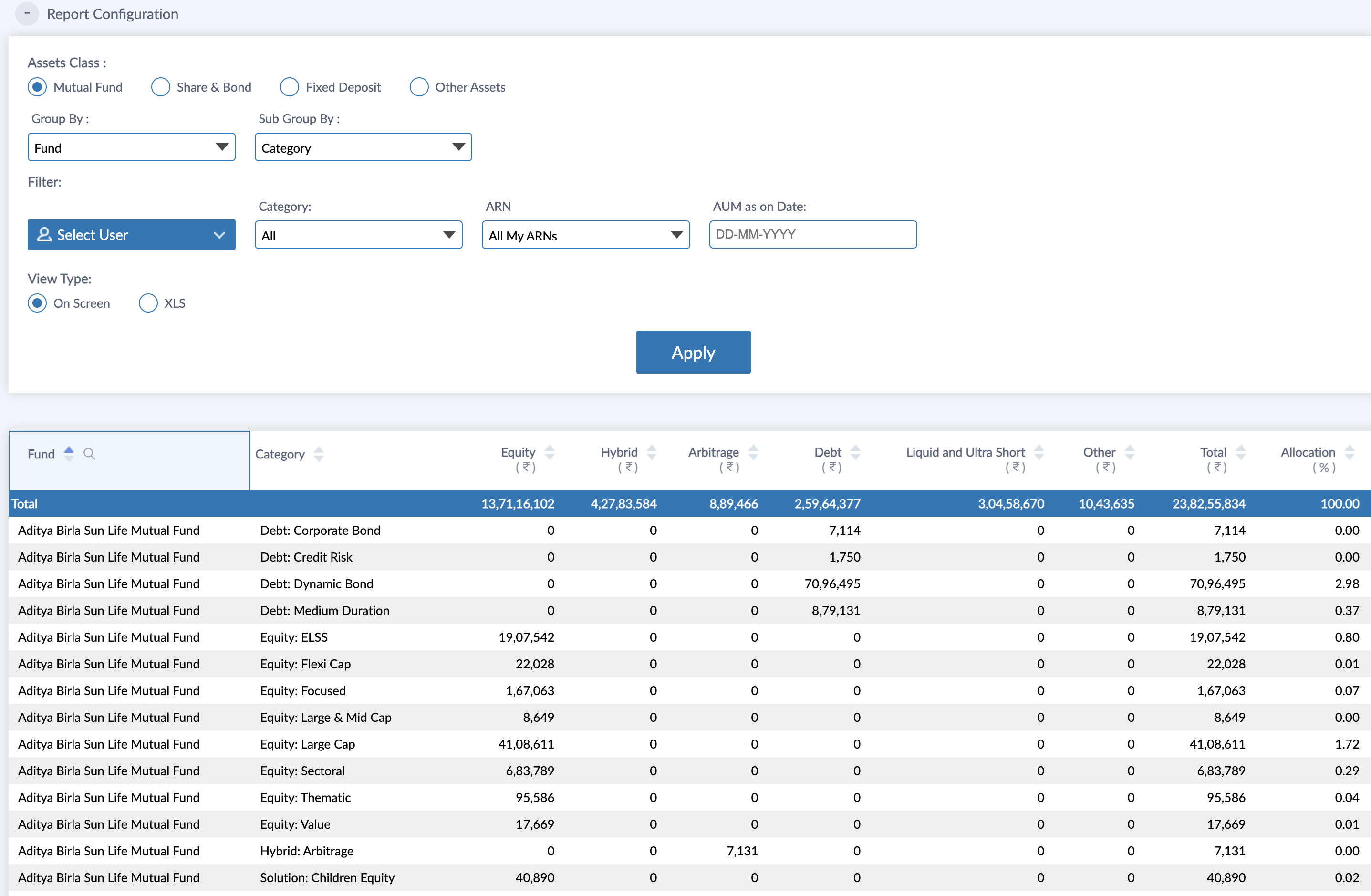
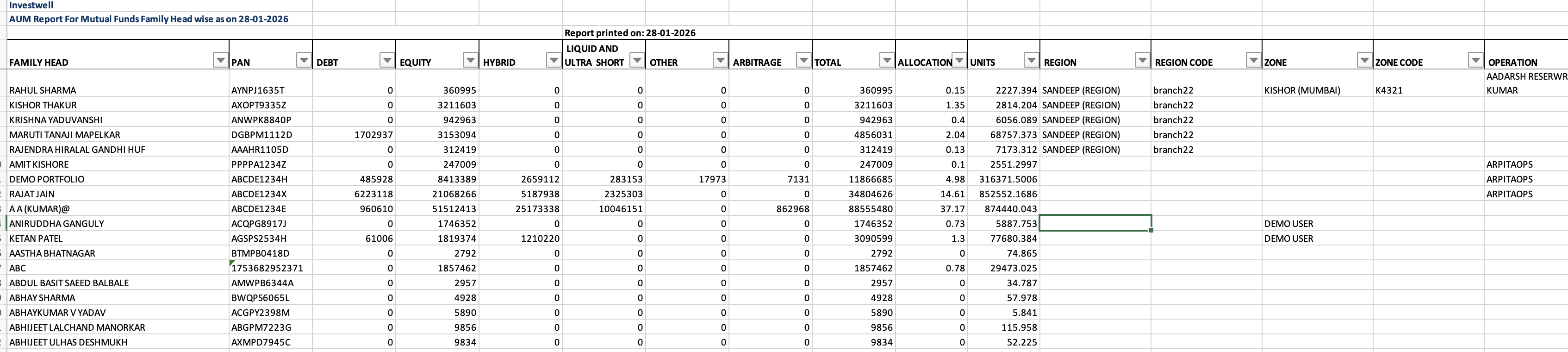
There are 2 ways to view the data. Either on screen or in excel format. In excel format when grouping of Client is done the system includes all the hierarchy of the client in columns
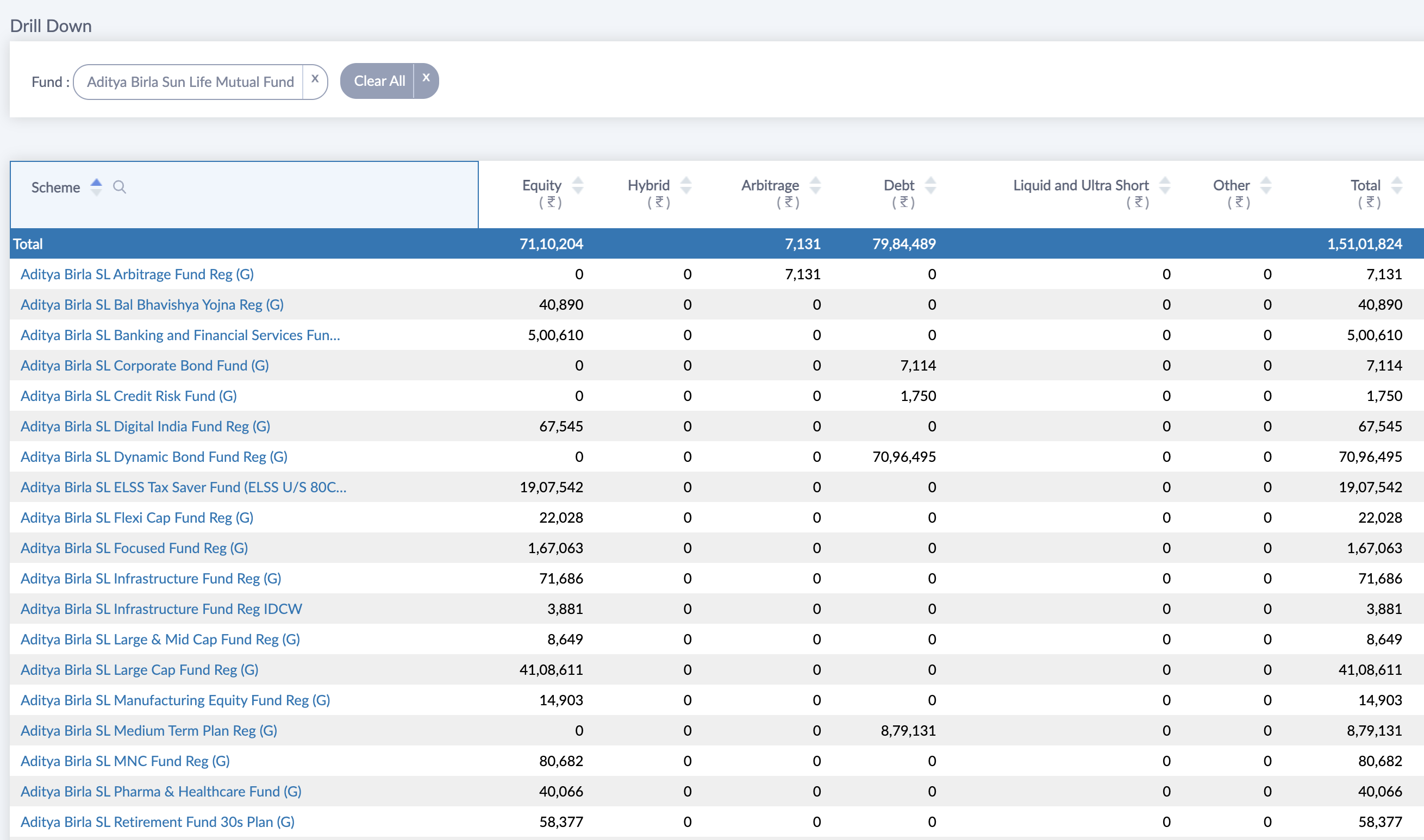
If you view the AUM report with a single grouping then you can drilldown any select value to view details under that drilldown. For example, if you view Fund wise AUM report and click on a Fund name then you can see the various schemes under that Fund in which AUM is bifurcated.
Was this article helpful?
That’s Great!
Thank you for your feedback
Sorry! We couldn't be helpful
Thank you for your feedback
Feedback sent
We appreciate your effort and will try to fix the article