This Portfolio Valuation report shows you all the currently held investments of an investor or all investors if a family head is selected. It shows the CAGR of each scheme and a complete allocation breakdown on various parameters. It provides a consolidated yet complete view of your Current Portfolio.
Access this report
As an Investor - Investwell Portal > Report Section > Portfolio Valuation
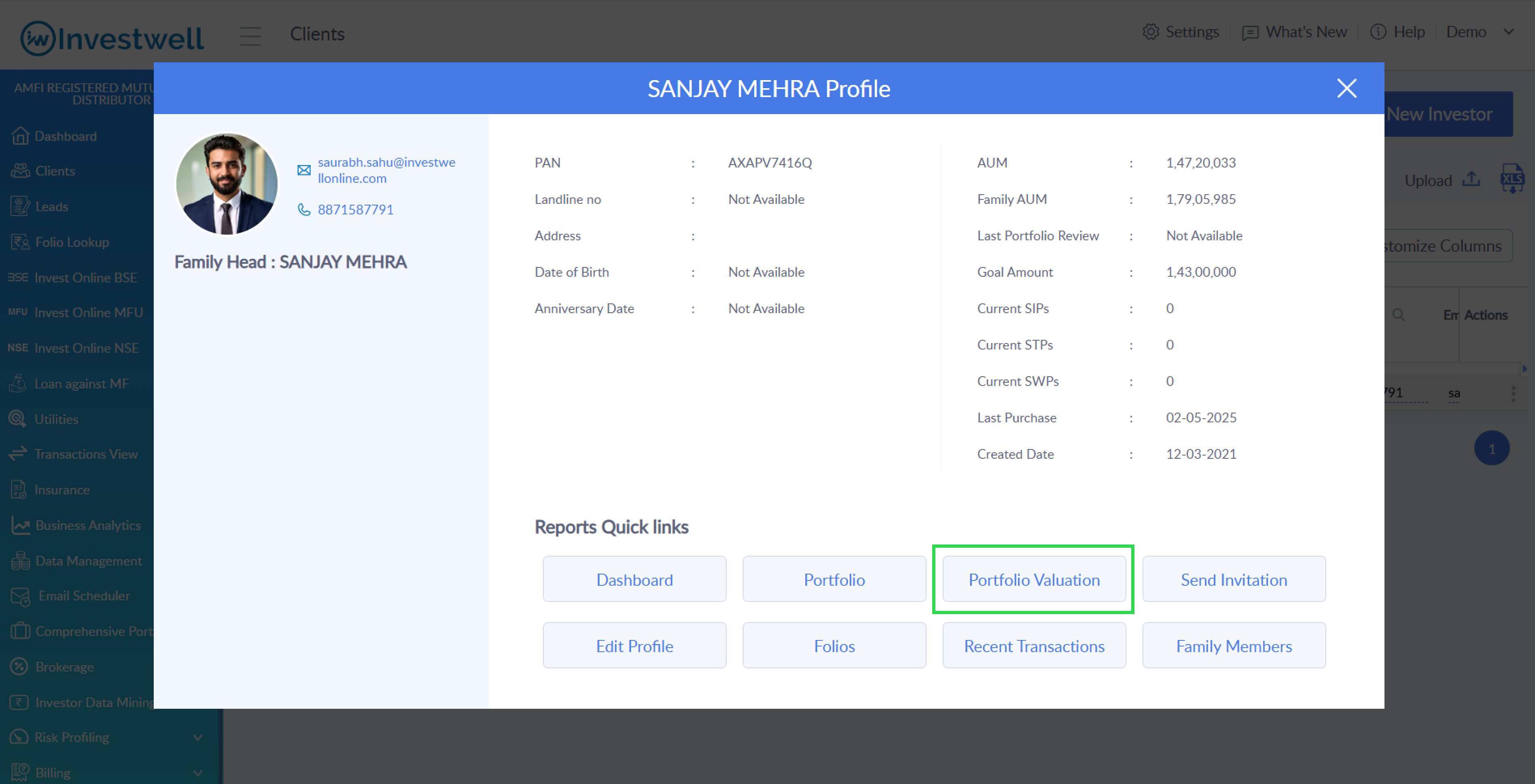
As an MFD/RIA - Investwell Portal > Clients > Click on client name > Client Summary Profile > Portfolio Valuation
Report Configuration
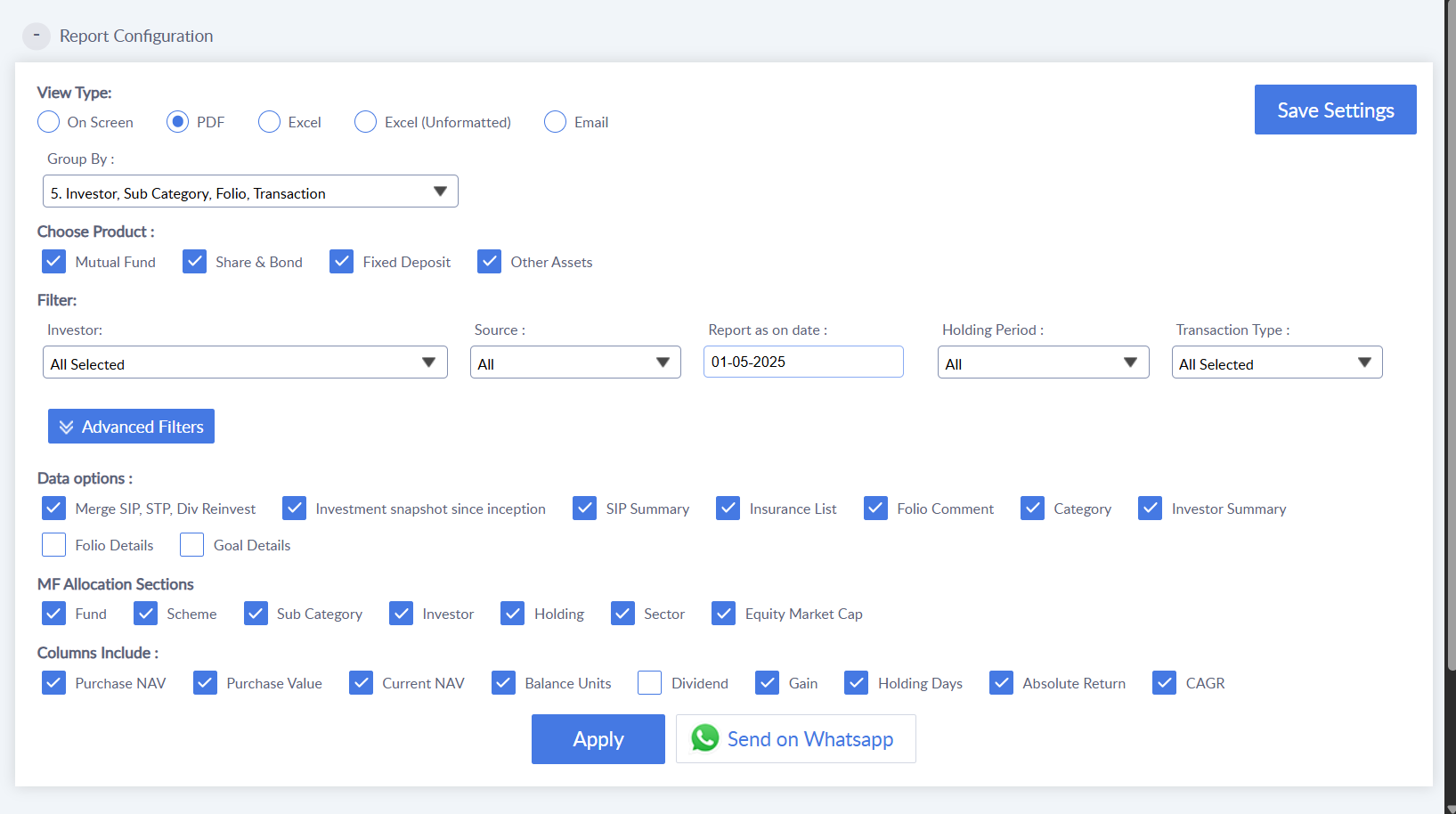
Use this section to customize your Portfolio Valuation Report based on your preferences. Choose the view type (On-Screen, Excel, PDF, or Email), select the product category, and define how you want the data grouped. Many more preferences are available based on the selected view type for deeper customization.
View Type
Choose how you'd like to access the report. You can view it directly in your browser, download a formatted or unformatted Excel version, export a printable PDF, or receive it via email.
Group By
This allows you to organize report items based on selected grouping options, such as by investor, or category, for clearer analysis.
Choose Product
Select which investment types to include in your report. Options include Mutual Funds, Shares & Bonds, Fixed Deposits, and Other Assets.
Filter
Narrow down your report using filters. You can filter by investor, source of data (all, managed, or outside), report date, holding period, and transaction type.
Advanced Filters
For deeper customization, use advanced filters like category and sub-category of assets, specific funds, folio numbers
Data Options
Select the type of data you want to include in the report. Options include investment snapshots since inception, SIP summaries, insurance lists, folio comments, category breakdowns, and investor summaries.
MF Allocation Sections
Analyze mutual fund allocation in various ways—by fund, scheme, sub-category, investor, holding, sector, or market capitalization (e.g., large cap, mid cap).
Columns to Include
Customize your report columns by selecting data points such as Purchase NAV, Current NAV, Value, Units, Dividend, Gains, Holding Days, Absolute Return, and CAGR.
Was this article helpful?
That’s Great!
Thank you for your feedback
Sorry! We couldn't be helpful
Thank you for your feedback
Feedback sent
We appreciate your effort and will try to fix the article